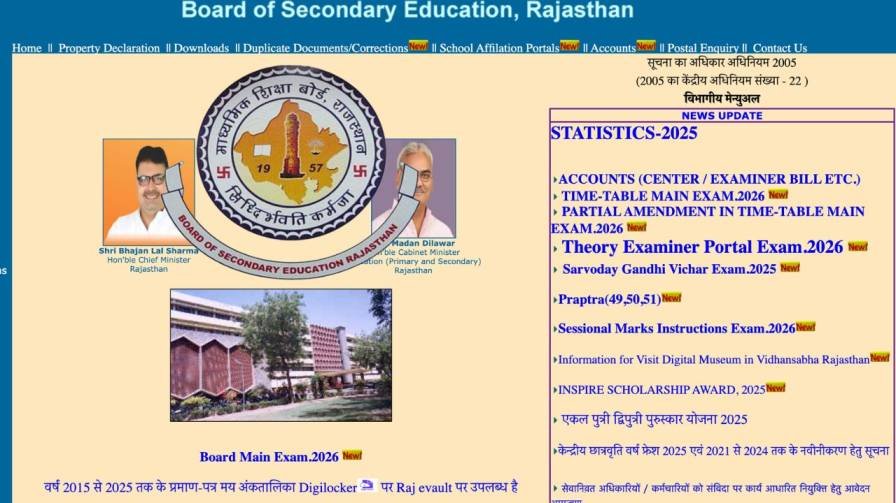
Nearly 10 lakh students across Rajasthan are currently waiting with bated breath for one of the most important announcements of their academic lives — the RBSE Rajasthan Board 10th Result 2026. However, students who were expecting the result on March 20, 2026 will need to wait a little longer. The Board of Secondary Education, Rajasthan (RBSE) has confirmed that the result will not be declared on March 20, 2026, and the new date is yet to be officially announced.
This article brings you everything you need to know — from where to check your result, how the evaluation process is progressing, and what to do the moment the result goes live.
RBSE 10th Result 2026 – Quick Overview
| Particular | Details |
|---|---|
| Board | Board of Secondary Education, Rajasthan (RBSE) |
| Exam Name | Rajasthan Board Class 10 (Secondary) Examination 2026 |
| Exam Dates | February 12 – February 28, 2026 |
| Total Students Appeared | Approximately 10 Lakh |
| Original Result Date | March 20, 2026 (Postponed) |
| Revised Result Date | To Be Announced |
| Official Website | rajeduboard.rajasthan.gov.in / rajasthan.gov.in |
Why Has the RBSE 10th Result 2026 Been Postponed?
As of now, the Board of Secondary Education, Rajasthan has not issued any official statement explaining the specific reason behind the postponement. No new date has been confirmed yet through official channels.
What is known is that the board deployed nearly 35,000 teachers at centralised evaluation centres across Rajasthan to carry out the answer sheet checking process. Officials have stated that the evaluation is almost complete and that result preparation is actively underway.
This suggests the delay is likely administrative — related to final tabulation, verification of marks, and result compilation — rather than any larger issue with the examination process itself. Students should expect the result to be declared within the coming days or weeks once official confirmation is issued.
RBSE Rajasthan Board 10th Exam 2026 – Key Facts
The Class 10 board examinations conducted by RBSE this year were held across Rajasthan from February 12 to February 28, 2026. The exams were administered at designated centres throughout the state, covering students from government and private schools alike.
Following the conclusion of exams, the board initiated the centralised evaluation process, bringing together approximately 35,000 teachers at dedicated checking centres. This large-scale evaluation infrastructure reflects the sheer volume of answer sheets — given that close to 10 lakh students sat for the examination statewide.
The scale of this exercise makes it one of the largest annual academic evaluations in Rajasthan, and meticulous verification before result declaration is both standard and necessary.
Where to Check RBSE 10th Result 2026 – Official Websites
When the result is officially declared, students can access it through the following platforms:
1. Official RBSE Website 👉 rajeduboard.rajasthan.gov.in
This is the primary and most reliable source for the result. Students should visit the homepage and look for the “Result” or “Class 10 Result 2026” link.
2. Rajasthan Government Portal 👉 rajasthan.gov.in
The state government’s official portal also hosts board exam results and serves as an alternative link during periods of high server traffic.
3. NDTV Board Exam Results 2026 Page The direct link to check the result will also be activated on the NDTV Board Exam Results 2026 page once the result is officially declared.
4. IE Education Portal Students can additionally check their RBSE 10th result and pass status on the IE Education portal, which provides result-checking facilities for multiple board examinations.
How to Check RBSE 10th Result 2026 Online – Step-by-Step
Once the result is declared, follow these simple steps to access your scorecard:
- Open your browser and visit rajeduboard.rajasthan.gov.in
- Look for the “RBSE 10th Result 2026” link on the homepage
- Click on the result link — it will activate only after official declaration
- Enter your Roll Number and any other required details
- Click “Submit” or “View Result”
- Your result will appear on the screen — check your subject-wise marks and pass/fail status
- Download and save the result page as a PDF for future reference
- Take a printout for use until the original marksheet is issued by your school